

Projects
Case Study: One-Button Releases for a Customer Portal on Kubernetes
A logistics customer portal on Kubernetes: from hand-made updates to one-button Jenkins releases in about 2 minutes, with rollback and full history.
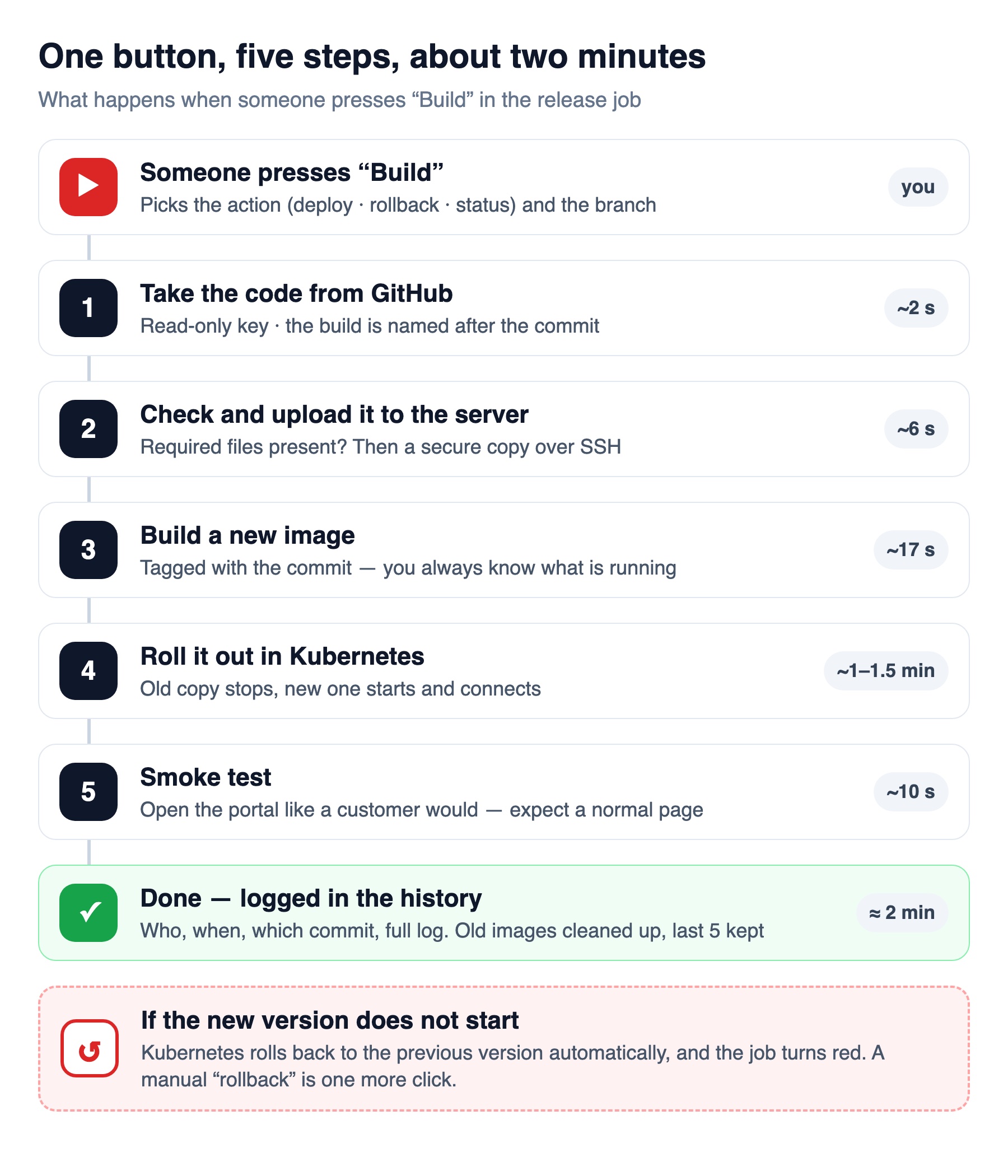
A logistics company’s customer portal — shipments, payments, tracking — ran on a two-node Kubernetes cluster, but every update was made by hand on the production server by one developer. We turned releases into one button in Jenkins: about two minutes per release, one-click rollback, and a full history of who released what.
The situation
- The portal ran as a single hand-started container (“pod”) without a Kubernetes Deployment — no version history and no clean rollback.
- Updates meant logging in to production as administrator and building the new version right there.
- Database passwords, payment keys and the SSL certificate were baked into the app image.
- No record of releases; only one person knew the steps.
- The portal takes payments and runs scheduled payment jobs, so only one copy may run at a time.
What we did
- Kubernetes Deployment instead of a hand-made pod — current and previous versions, rollout status and rollback.
- Secrets out of the image: passwords and certificate moved to a Kubernetes Secret, mounted read-only.
- Jenkins LTS in the client’s office — a small Linux container on their Proxmox server, not reachable from the internet.
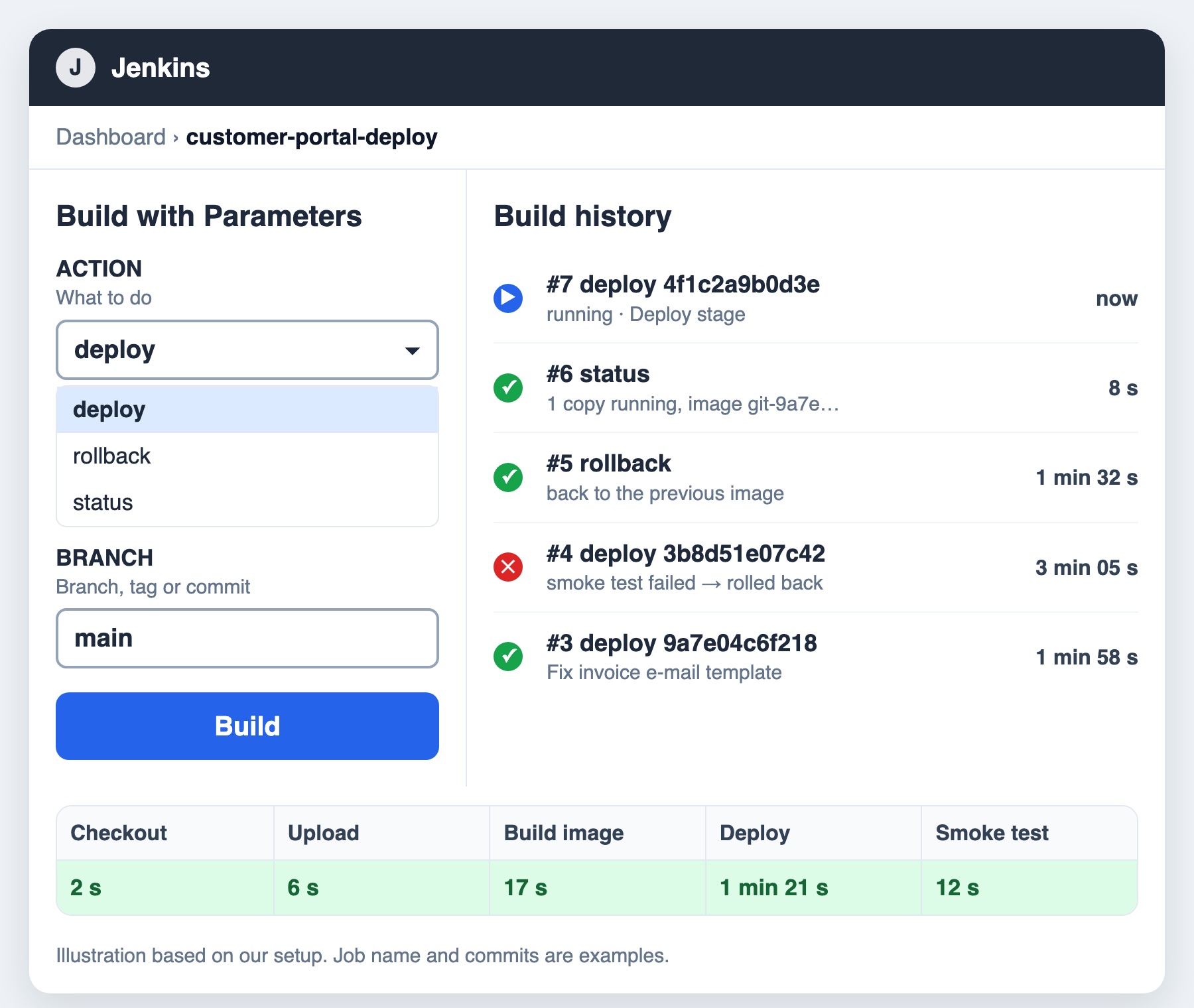
- One release job with three actions — deploy (any branch), rollback, status — and the recipe (Jenkinsfile) kept in the same private GitHub repository as the code.
- Versioned images: every release is tagged with its Git commit; the last five are kept for rollback.
- Smoke test and automatic rollback: after a release Jenkins opens the portal; if the new version does not come up, Kubernetes returns to the previous one.
- Least privilege: read-only GitHub key; on the server Jenkins’ key can run only the release script and only from the office network; in Kubernetes its account can change only this one app.
- Manual start by design: the owner presses the button in a quiet hour — the release itself is always the same.
The result
| Before | After | |
|---|---|---|
| Who can release | One developer with admin access to production | Anyone with access to the Jenkins button |
| How long | Manual steps | About 2 minutes |
| Rollback | Rebuild the old version by hand | One click, or automatic on failure |
| What is running | “latest” | The exact Git commit |
| Passwords | Inside the image | Read-only Kubernetes Secret |
| History | None | Who, when, which version, full log |
The first release with the button went through on the first try. Together with Grafana monitoring for the same company, the team now sees the effect of every release on one screen.
Want to know more? Read what Jenkins is and how it works, in plain words, or talk to us.